LinkWithin

Related Posts Plugin for WordPress, Blogger...
Listen online radios Hindi Radios, Nepali Radios, Nepali Music
Showing posts with label Facebook tips. Show all posts

How to download Facebook Friend's Photos?

Download Facebook Friend's Photos is easy you simply need three steps. Just open the photo and click on the download option on the red circle and save where you want as shown in the photo.


But Actually its time consuming. To save time you can use the softwares as

1. PhotoGrabber: Download Photos of Any Friend (Desktop)

PhotoGrabber is an desktop application that makes it easy to download all Facebook photos of any of your friends. This could be a good app for social media monitoring of your child’s photos, for example.
Just have the app installed, give it access to your data on Facebook (through Facebook authentication) and choose your friend in the list. You can:
  • Download all photos where your friend is tagged in;
  • Download all albums that contains your friend’s photos;
  • Download all albums uploaded by your friend;
  • Download comments and tagging information of the photos:

2. Fluschipranie: Download Your Albums (FireFox)

Fluschipranie is an experimental plugin for FireFox 4 that requires no restart to be installed.
Once you have it installed, browse to “Your Albums” on Facebook and right-click on your album link and notice “fluschipranie Download” option:

3. Download Facebook Album’s Photos as HTML page (Google Chrome)

This Google Chrome Extension is another nice way to download all Facebook album photos (either yours or those belonging to any of your friends). It works via a toolbar icon:
  • When viewing photos on Facebook, click the button;
  • A new page will be created listing all photo thumbnails;
  • Use CTRL+S shortcut to save this page (together with linked images);
  • The destination folder will contain this page + a separate folder with all listed photos.
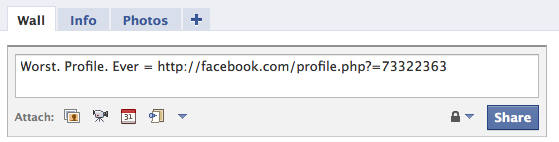
Play a Trick On Your Friends in Your Status Update


We have a funny one to end on — a way to play an amusing trick on your Facebook buddies.

Have Fun With Facebook’s Status


While you can always change your setting into more sensible alternative languages, the

Turn Your Facebook Status Updates Into a Word Cloud


There’s a really fun way to visualize anyone’s status updates (even an entire country’s) as a word cloud. The Status Analyzer 3D app will look at what it is you’ve been chatting about lately and generate a list, and then a pretty, colorful, animated cloud as pictured above.


Add Symbols to Your Facebook Status


l though there are plenty of emoticons that work with Facebook Chat, typing “:)” into Facebook’s status bar will not magically transform into a smiley yellow face. In fact, the only symbol you can create in a Facebook status update through the shortcut keys is a ♥, by typing “<3."

Tag Friends In Your Facebook Status Updates


Its easy to tag friends on the photo and videos. But what if you have to tag friends on your status. This was quite a big deal when it was

Pre-Schedule Facebook Status Updates


The simplest way to schedule Facebook status updates is by using

How To Add Dislike Option For Facebook Status Update.


Like” buttons are everywhere on Facebook, and they’re everywhere on the web. But what if you want to update your status or share something that your friends can “dislike?”

Facebook Send Button To Share Contents


Install a new Facebook social plugin called “Send“, which allows visitors to send your content to their friends. People can send your URL in an inbox message to their Facebook friends,

Change Facebook Chat Sound Notification

Change Facebook Chat Sound Notification
Facebook chat pop sounds is really good but its seems boring when we always hear that. If you don’t like sound and want

Script Text Emoticons For Facebook Chat


Most of the browser need extra application for emoticons to be displayed on facebook chat. If you don't want  extra application here are all available text emoticons,

Beware! Facebook Or Any Passwords Could Hacked Through Keylogging

Easily Access any EmailKeylogging refers to simply recording each and every keystroke that is typed on a specific computer’s keyboard. This is possible with the use of a small computer program called keylogger

Access Facebook Chat on Desktop


  • You can use Gabtastik and digsby to keep Facebook chat sessions open on your Windows desktop without use of web browser
  • Download Facebook Photo Albums

    FacePAD: Facebook Photo Album Downloader allows you to download your friends’ facebook albums, Events albums, and Group Albums, en masse, with the click of a button. 

    Download facebook and youtube videos

    Facebook has one of the largest collection of user uploaded videos.You can download most of the videos from Facebook by using
    a client like SpeedBit or DownFacbook.

    SpeedBit

    Advance wall for facebook

    Advanced wall is also another facebook application

    Tag friends in your status

    Tag Friends in Your Status and Posts

    One of the most popular features on Facebook is tagging, which gives you the ability to identify and reference people in photos, videos and notes. Today, we

    How to hack facebook password?

    ?Today i ll uncover all the methods used to hack facebook password,
    following are the methods for hacking.
    1. Facebook Phishing
    2. Keylogging
    3. Social engineering
    4. Primary email address hack

    Voice chat on Facebook


    TheFacePhone is the first ever Facebook Voice Chat - its a Free and it works together with your Facebook Chat. The Extension for the Google chrome 

    How to Import Your Blog to Facebook?


    Your company blog might have hundreds of articles written about your industry. Writing each article takes an incredible amount time and patience. Wouldn’t it be nice to give your blog a little extra exposure for all the hard work? I would say yes, and if you agree with me then using Facebook to promote it might be a commendable option. With Facebook’s built-in application, Notes, importing your blog can be done fairly easily. Here are the steps to import your blog.

    Google User